


Hey there! As a supplier of column speakers, I often get asked this question: "Can I connect column speakers to a computer?" Well, the short answer is yes, you can! But there's a bit more to it than just plugging them in. In this blog post, I'll walk you through the process, talk about the different types of column speakers we offer, and share some tips to make sure you get the best sound quality.
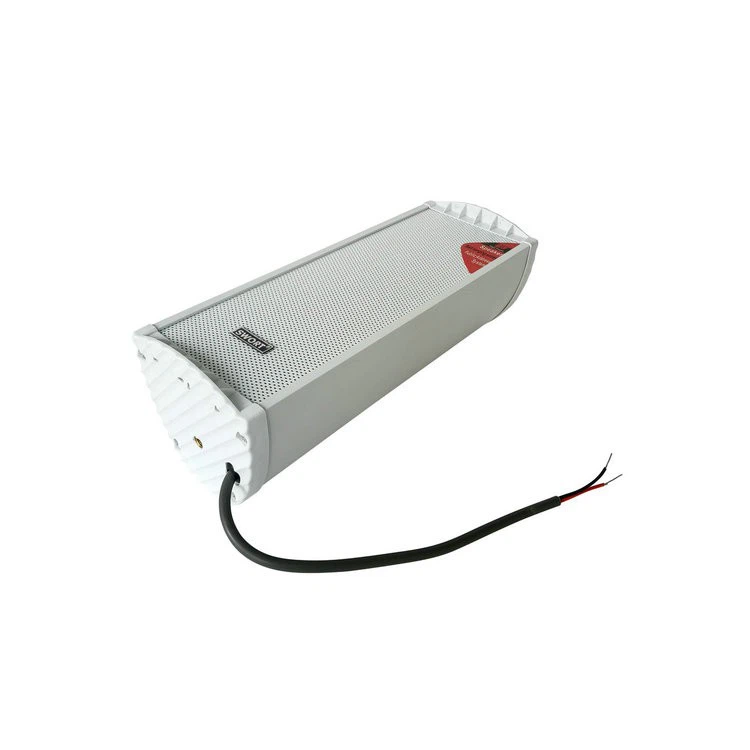
First off, let's understand what column speakers are. Column speakers are long, narrow speakers that are designed to provide a wide and even sound distribution. They're great for large spaces like auditoriums, classrooms, and conference rooms because they can project sound over a long distance without creating a lot of feedback. At our company, we offer a variety of column speakers, including Slim Pa Speakers, Passive Column Speaker, and Black Column Speaker.

Now, let's get to the main question: how do you connect column speakers to a computer? There are a few different ways to do this, depending on the type of speakers you have and the output options on your computer.
Connecting Passive Column Speakers
If you have passive column speakers, you'll need an amplifier to power them. Most computers don't have enough power to drive passive speakers directly, so an amplifier is a must. Here's how you can connect them:

- Check the amplifier: Make sure your amplifier has the right input options. Most amplifiers have RCA, XLR, or 1/4-inch inputs. Check your computer's output options to see which type of cable you'll need.
- Connect the computer to the amplifier: Use the appropriate cable to connect your computer's audio output to the amplifier's input. For example, if your computer has a 3.5mm headphone jack and your amplifier has an RCA input, you'll need a 3.5mm to RCA adapter.
- Connect the amplifier to the speakers: Use speaker wire to connect the amplifier's output terminals to the speakers. Make sure to match the positive and negative terminals correctly to avoid any issues.
- Power on the amplifier and speakers: Once everything is connected, turn on the amplifier and the speakers. Adjust the volume on your computer and the amplifier to get the desired sound level.
Connecting Active Column Speakers
Active column speakers have a built-in amplifier, so you don't need an external amplifier to power them. This makes the connection process a bit simpler. Here's how you can connect them:
- Check the speaker's input options: Most active column speakers have XLR, RCA, or 1/4-inch inputs. Check your computer's output options to see which type of cable you'll need.
- Connect the computer to the speakers: Use the appropriate cable to connect your computer's audio output to the speaker's input. For example, if your computer has a 3.5mm headphone jack and your speaker has an XLR input, you'll need a 3.5mm to XLR adapter.
- Power on the speakers: Once the cable is connected, plug in the speakers and turn them on. Adjust the volume on your computer and the speakers to get the desired sound level.
Tips for Getting the Best Sound Quality
Now that you know how to connect your column speakers to your computer, here are some tips to help you get the best sound quality:
- Position the speakers correctly: The placement of your speakers can have a big impact on the sound quality. Make sure to place them at ear level and at an equal distance from the listening area. Avoid placing them too close to walls or corners, as this can cause reflections and affect the sound.
- Use high-quality cables: Using high-quality cables can help reduce interference and improve the sound quality. Invest in good-quality audio cables that are designed for your specific needs.
- Adjust the equalizer: Most computers have an equalizer that allows you to adjust the bass, treble, and other audio settings. Experiment with different settings to find the best sound for your speakers and listening environment.
- Update your drivers: Make sure to keep your computer's audio drivers up to date. Outdated drivers can cause sound issues and affect the performance of your speakers.
Why Choose Our Column Speakers?
At our company, we take pride in offering high-quality column speakers that are designed to meet the needs of our customers. Here are some reasons why you should choose our speakers:
- Wide range of options: We offer a variety of column speakers, including Slim Pa Speakers, Passive Column Speaker, and Black Column Speaker. Whether you need speakers for a small room or a large auditorium, we have the right solution for you.
- High-quality sound: Our speakers are designed to provide clear, crisp, and powerful sound. They use advanced technology and high-quality components to ensure the best performance.
- Durable and reliable: Our speakers are built to last. They are made from high-quality materials and are designed to withstand the rigors of daily use.
- Affordable prices: We offer our speakers at competitive prices without compromising on quality. You can get high-quality column speakers at a price that fits your budget.
Conclusion
So, there you have it! Connecting column speakers to a computer is definitely possible, and it's not as complicated as you might think. Whether you have passive or active speakers, you can follow the steps outlined in this blog post to get them up and running. And if you're in the market for high-quality column speakers, be sure to check out our Slim Pa Speakers, Passive Column Speaker, and Black Column Speaker.
If you have any questions or need further assistance, feel free to reach out to us. We're here to help you find the right speakers for your needs and ensure that you get the best sound quality possible. Don't hesitate to contact us for procurement and to discuss your specific requirements. We look forward to working with you!
References
- Audio Engineering Society. (n.d.). Sound System Design and Installation. Retrieved from https://www.aes.org/
- Pro Sound Web. (n.d.). Speaker Placement and Acoustics. Retrieved from https://www.prosoundweb.com/


